Archiving and restoring a project
Archiving a project “hides” that project from the list of projects associated with the client. Although a project might be finished and you’ve invoiced and been paid, you might still want to log time against it in the future, for example, if something needs fixing under warranty (or you may just want to set up a separate project for that).
To archive a project:
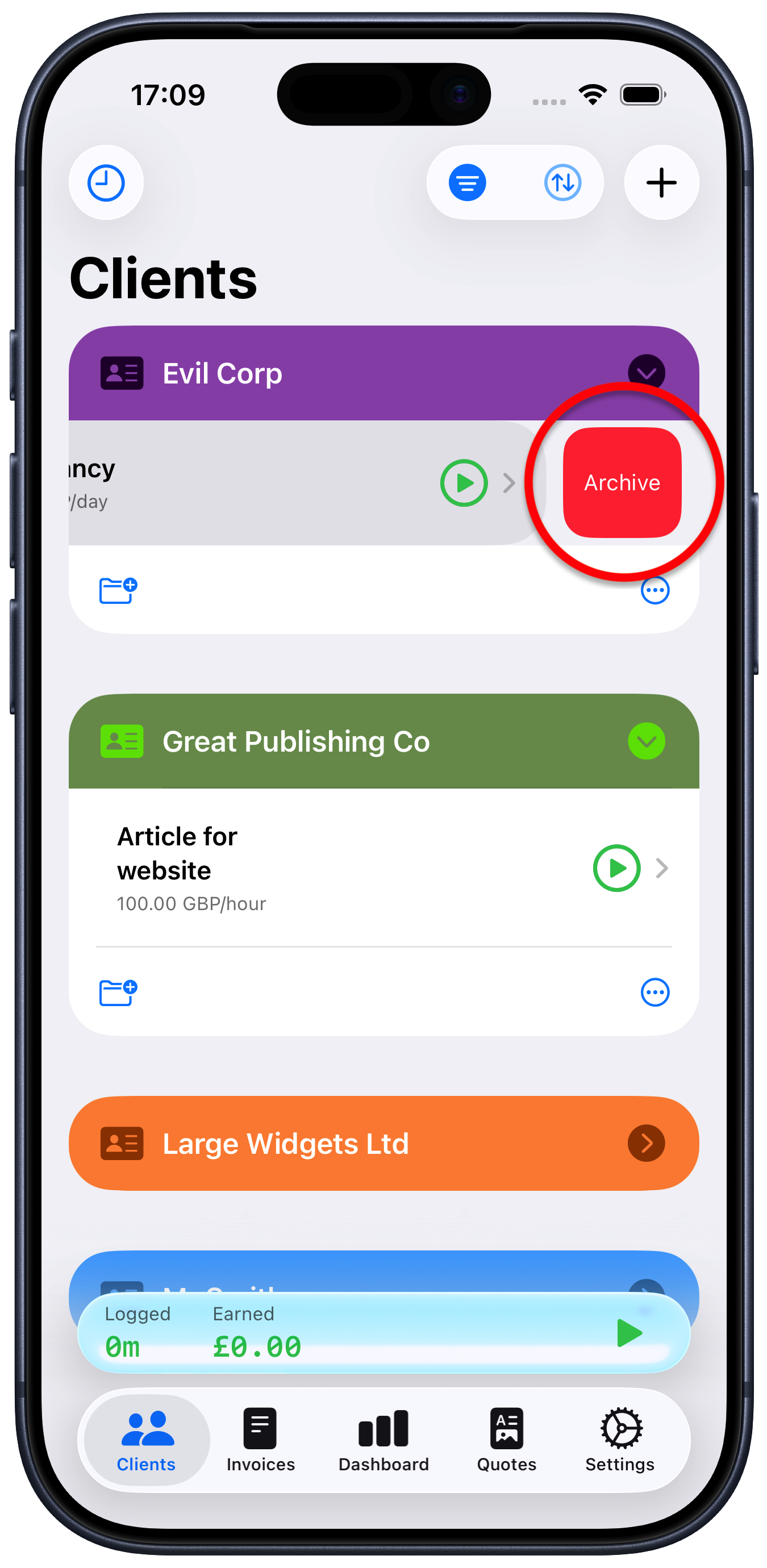
Swipe the project name left until you see the red “Archive” button appear then tap that, or just keep swiping left until it disappears.
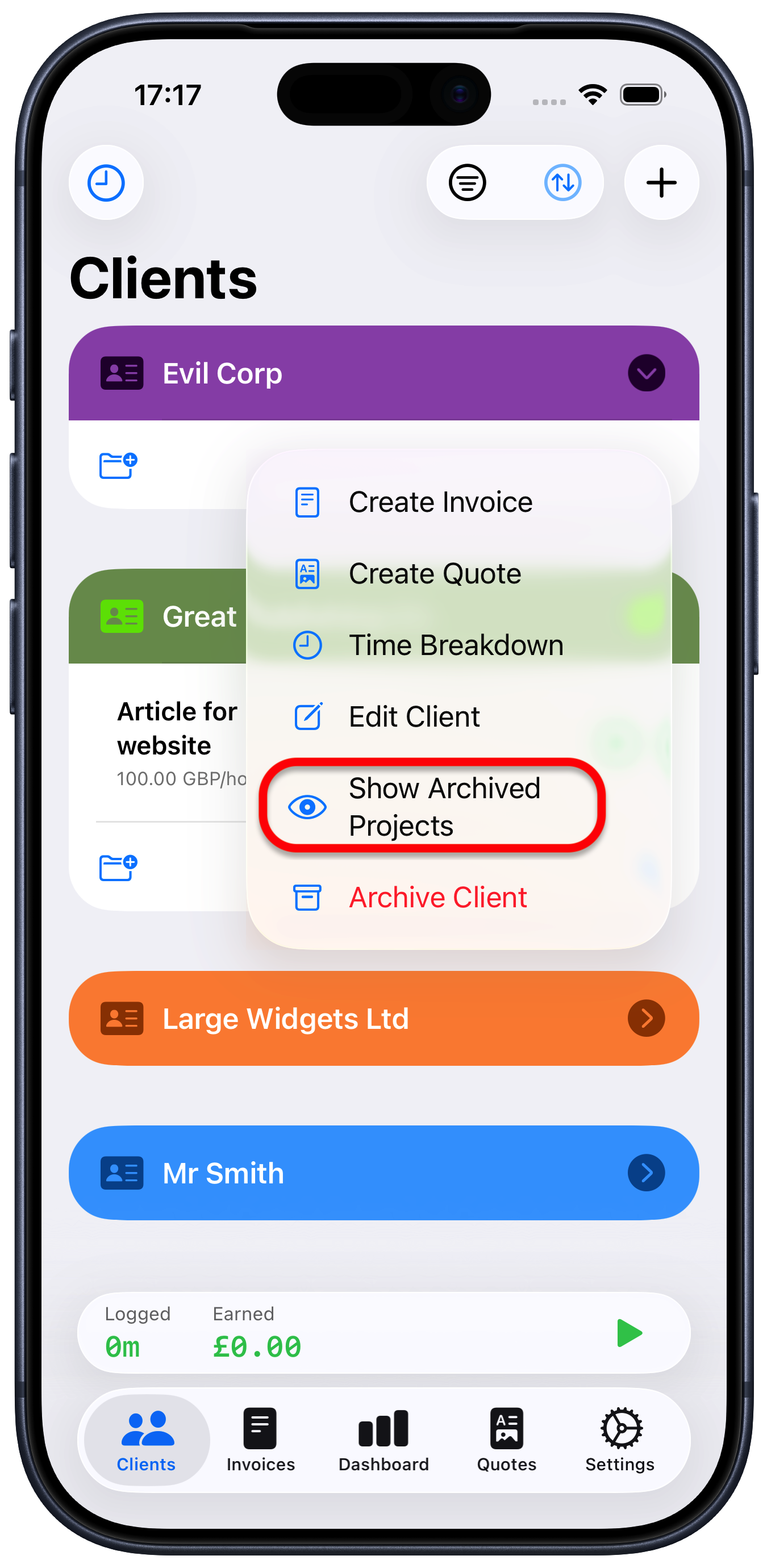
The project will disappear from your client list. However, you can still it if you tap the ellipsis “…” button at the bottom right of the project screen and choose “Show Archived Projects”.
To restore a client back into your normal client list:
Use the method above to make sure the project is shown in the list for that client (it will have “Archived” shown against it)
Swipe the project name left until you see the “Restore” button appear then tap that, or just keep swiping left until it re-appears.